Product Overview
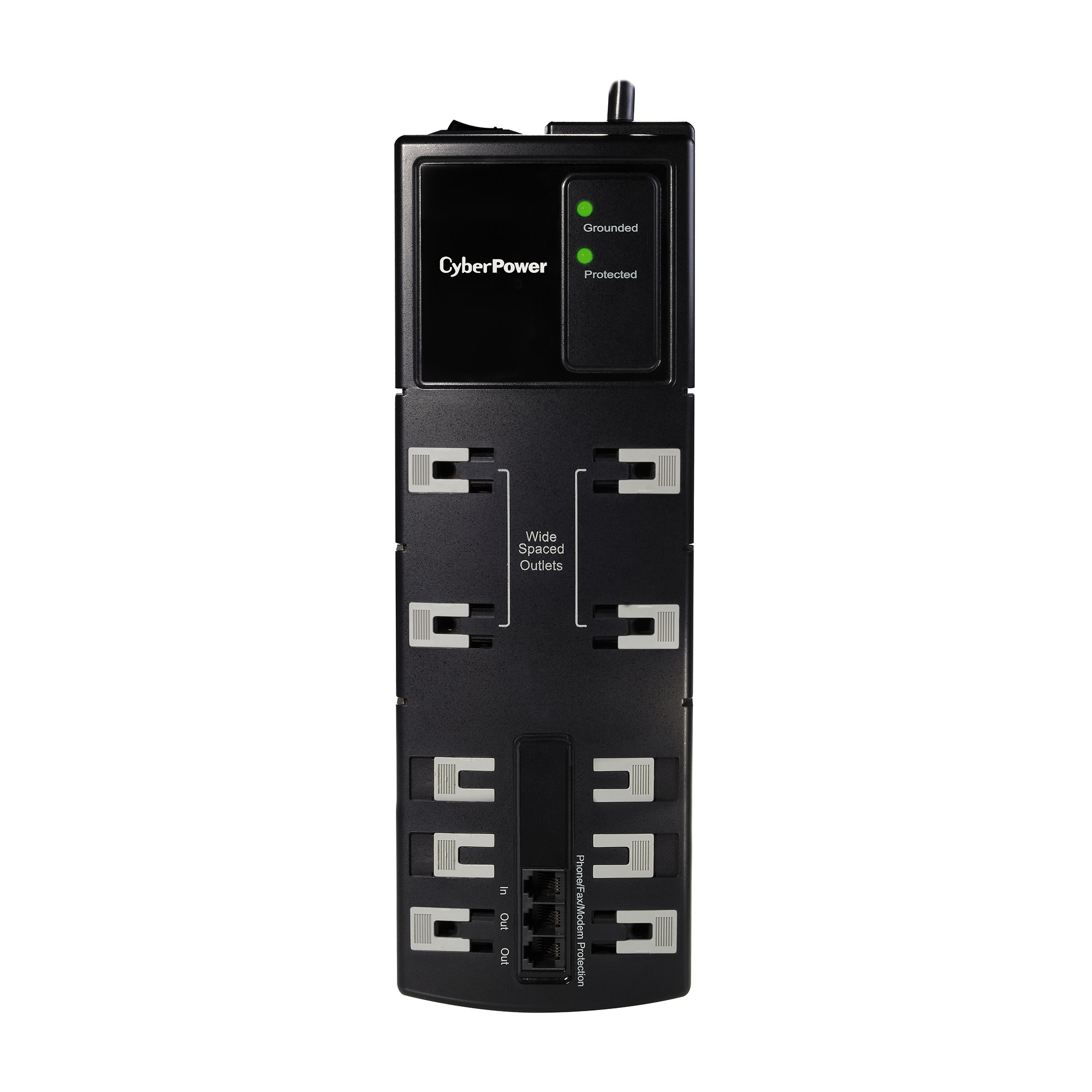
The CyberPower B1006T is a Essential Surge Protector with 2850 joules of protection, 10 outlets (4 widely spaced to accomodate transformer-sized plugs), and RJ11 phone protection. This surge protector is ideal for protecting personal computers, phones/fax/modems, printers, stereos, and CD/DVD players.
The B1006T features MOV technology to guard the surge suppressor and connected electronics against line abnormalities and lightning surges, while EMI/RFI filters block unwanted line noise. Data line protection is provided via RJ-11 ports for telecommunication devices such as phones, faxes, modems, and DSL lines. The power cord (6 ft.) includes a right angle plug for convenient installation.
A Limited Lifetime Warranty ensures that this surge suppressor has passed our highest quality standards in design, assembly, material or workmanship and further protection is offered by a $300,000 Connected Equipment Guarantee.
Product Features
- Transformer-Spaced Outlets
Widely spaced outlets accommodate large transformer-based plugs without compromising the utility of other outlets. - Built-In Automatic Shutdown
In the event of an overload that exceeds the model’s ability to suppress the signal, the surge protector’s 15A circuit breaker will automatically switch off to protect all connected electronics. - MOV (Metal Oxide Varistor)
MOV technology allows normal current to pass through the device, while diverting any surge/spikes through the ground circuit. This safely protects all connected electronics along with the surge suppressor itself. - Data Line Protection
RJ11 ports (1 in /2 out) provide surge protection to insure telecommunications devices such as phones and DSL modems work flawlessly when power events occur. - EMI/RFI Filters
Filters against electromagnetic interference and radio frequency interference ensuring clean power for connected equipment. - Limited Lifetime Warranty
Covers defects in materials and workmanship in the product under normal use and conditions. See warranty for details. - ISO & Safety Certifications
All CyberPower’s manufacturing facilities are ISO-9001 Quality Tested. CyberPower’s products are also UL Listed and CSA Certified. - Sturdy Case
Constructed of impact-resistant material for maximum durability. - Limited Lifetime Warranty
Covers defects in materials and workmanship in the product under normal use and conditions. See warranty for details.
WARNING


