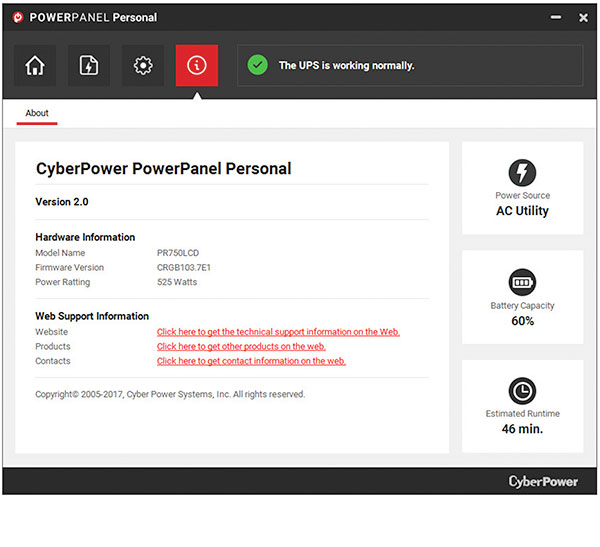
CyberPower has released an update to PowerPanel® Personal Windows and Mac. Please read on
for feature improvement details and a quick link to download the update.
PowerPanel® Personal 2.7.1 for Windows and Mac Release Notes
New Feature
Feature Improvements
- The online update function was optimized for better performance.
Fixes
- Resolves an issue where “gibberish text” appeared when the application was installed
using the Windows 11 OS. - Corrects an issue for being able to establish a unique identifier when a UPS, not
serialized, is connected to a computing device, that is also not serialized, and it causes
PowerPanel Cloud to view multiple UPS as duplicates when connecting via PowerPanel
Personal (on Windows 11 Pro 25H2 and Windows 10 OS). - Fixes an issue where an abnormal load was encountered in the previous version of
PowerPanel Personal 2.7.0 when connecting to PowerPanel Cloud.
Other
- Note: Older versions of PowerPanel Personal (v2.4.8 and older using .dmg file types)
must be uninstalled before installing the new version of v2.7.1.
Note: previous release of PowerPanel® Personal for Windows was v2.7.0 and Mac was v2.7.0
Questions?
Contact Tech Support Monday through Friday from 7am– 6pm CST.
Details and download links for specific operating systems available here: https://cyberpowersystems.com/products/software/power-panel-personal/
Install Details
- PowerPanel Personal for Windows
- File Name: ppp_windows_v2.7.1.exe
- MD5: 5876E1D16D91B9536CD9CF62F0FC8B74
- PowerPanel Personal for Mac
- File Name: ppp_mac_v2.7.1.pkg
- MD5: 9AC1520BBC7353729153147BC32E9FB7


